LookAway
 LookAway
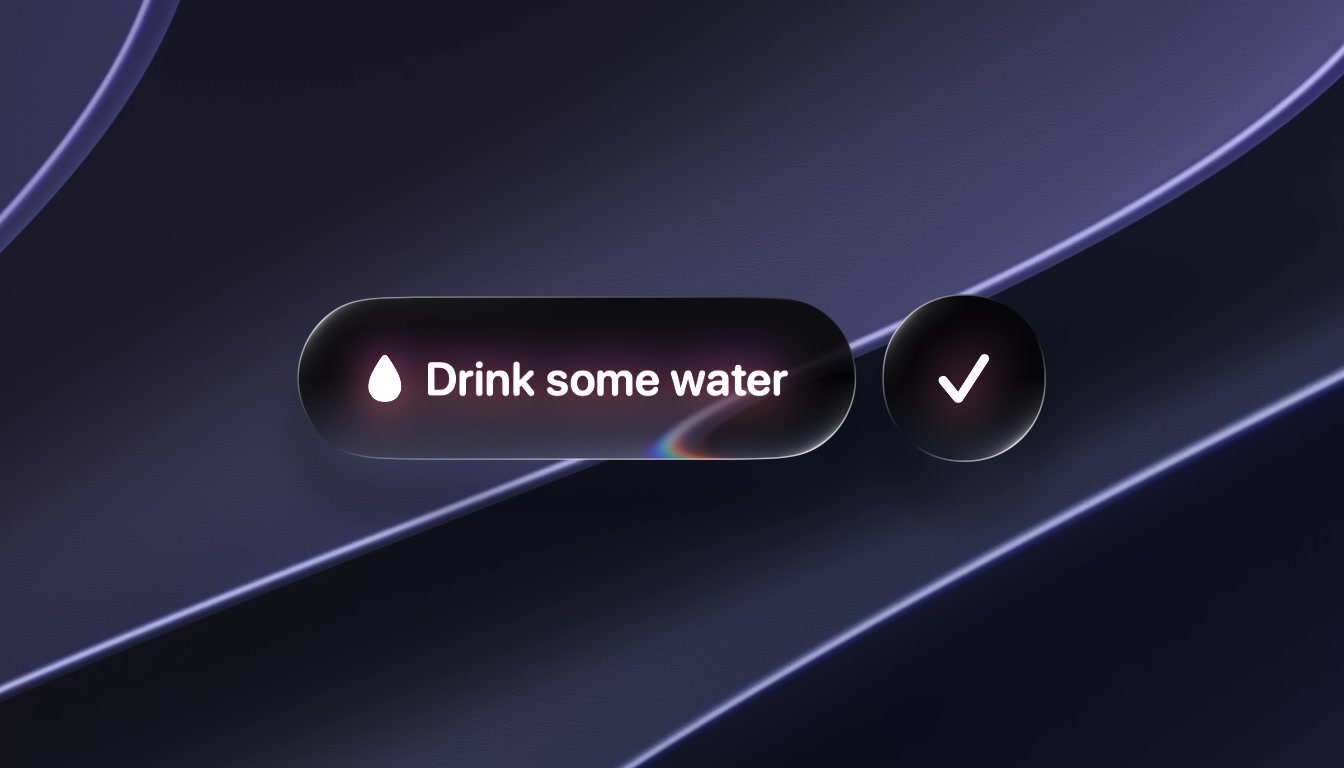
Until now, LookAway could remind you of two things between breaks: to blink and to fix your posture. If you wanted a nudge to drink some water or to stretch, you needed another app for it.
This update lets you create those reminders yourself. It also adds a new break style that splits your screen open, and LookAway now works with Shortcuts, Siri and Spotlight.
Custom Wellness Reminders
You can now create your own wellness reminders, in your own words. Each one has its own title, icon, size and interval, and plays one of ten new sounds (or none at all).
To create one, open the Wellness Reminders settings and choose Create New under Custom Reminders. You can have up to five.
A custom reminder can also stay on screen until you tick it off with its button, as in the second video above. It's meant for the reminders that are easy to wave away, like drinking water. If other reminders fall due while it waits, it folds into a small orb at the top of the screen and stays there until you get to it.
All wellness reminders, including blink and posture, have a new look on macOS Tahoe and later: a glass orb that ripples the screen as it appears. If the ripple isn't for you, turn off "Ripple the screen when reminders appear".
Reminders now keep counting through breaks instead of starting over after each one, so a reminder set for every 30 minutes gets its turn even when your breaks come more often than that. If you prefer the old way, turn on "Reset timers after break". There's also a new "Combine reminders due at the same time" option, which shows reminders that fall due together at once, with one sound, instead of one after another.
Split the Screen
Every break so far has covered your screen. With the new Split the screen style, a break slides your live desktop apart, top and bottom, and appears on a texture in between. When the break ends, the two halves slide back together.
To try it, head over to the Customize Break Screen settings page and pick Split the screen under Break style. There are four textures to choose from: Linen, Leather, Cutting Mat and Brushed Metal. The cutting mat comes in five colors and the leather in three.
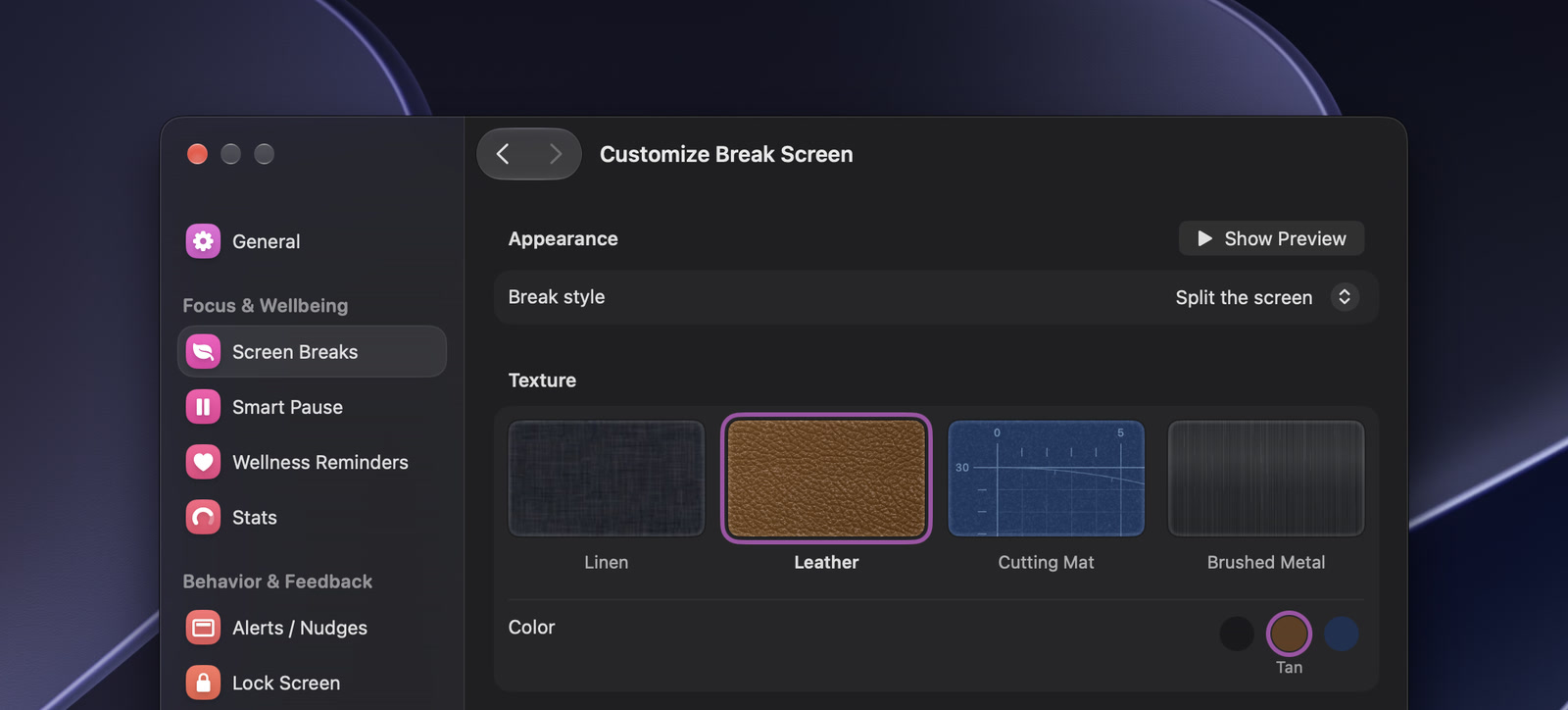
Please note that this requires macOS Tahoe or later.
New Break Backgrounds
If you'd rather keep your breaks covering the screen, there are three new animated backgrounds to pick from: Vortex, Nebula and Galaxy.
Shortcuts, Siri and Spotlight
LookAway now shows up in Shortcuts, Siri and Spotlight. You can take a break, snooze or skip the next one, pause and resume, start and stop LookAway, or check your status and stats.
Build a shortcut around any of these, run them from Spotlight, or just say "Pause LookAway" to Siri. If you already automate LookAway with AppleScript, that keeps working as before.
Other Notable Changes
- Custom breaks now always offer End Break, and skipping one picks your countdown up where it left off instead of starting it over
- Planned breaks have more icons to choose from, and Settings now asks to save or discard if you leave a new one unfinished
- Fixed LookAway staying idle after a quick nudge of the mouse, a click or a keypress, and after unlocking with Touch ID
- Fixed a long pause being counted twice when a Focus, meeting or calendar event ended during it, which could push the next break hours away
- Fixed a break arriving with only a few seconds' warning after you paused and resumed LookAway shortly before it
- Fixed the menu bar menu freezing for a moment every few seconds while it was open
- Fixed the menu bar item staying bright on an inactive display instead of dimming like the others
- Fixed alerts sometimes springing in from the top left corner
I hope you enjoy this update. If you find any bugs or have any feedback, feel free to reach out via email to [email protected].

Try LookAway
LookAway is a smart break reminder that helps reduce eye strain, digital fatigue, and maintain better posture - so you can end your day feeling fresh.