LookAway
 LookAway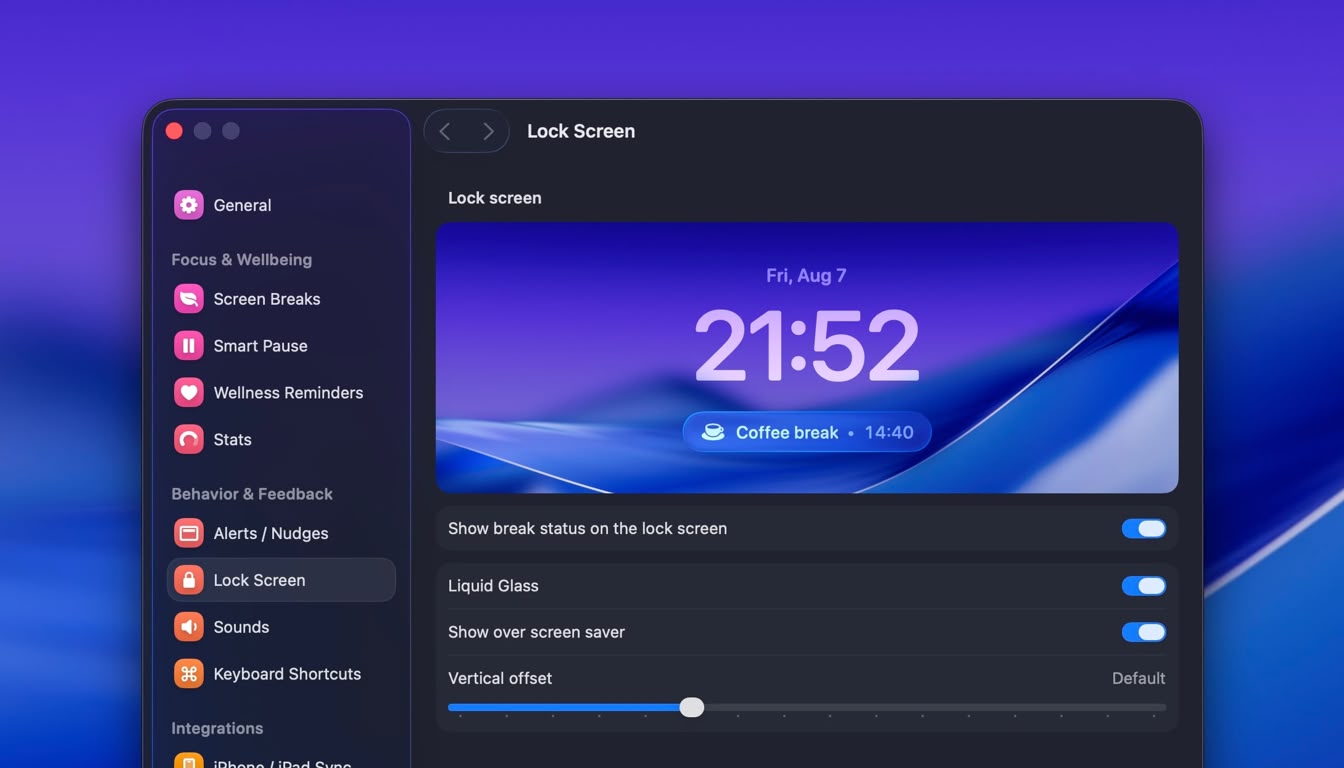
Until now, when your Mac went on a break and you locked your screen, you no longer had any visibility into the break's remaining time. The same was true on paired devices, where you had to open the LookAway Mirror app to see the remaining time.
This update introduces Live Activities on both the Mac and iPhone/iPad to give you that visibility.
On the Mac
When you lock your Mac during a break, you'll now see the break countdown under the clock on the Lock Screen. It works out of the box and doesn't require any setup.
You can make some adjustments to this widget (or disable it) under Settings → Lock Screen. Please note that this is only available on macOS 26+ and it won't be available on the App Store version of LookAway (it uses unofficial APIs to make this possible).
On the iPhone
LookAway Mirror 2.1 now supports Live Activities on both the iPhone and the iPad. If you have one paired with the Mac, you'll now see a Live Activity on the Lock Screen and the Dynamic Island whenever your Mac goes on a break.
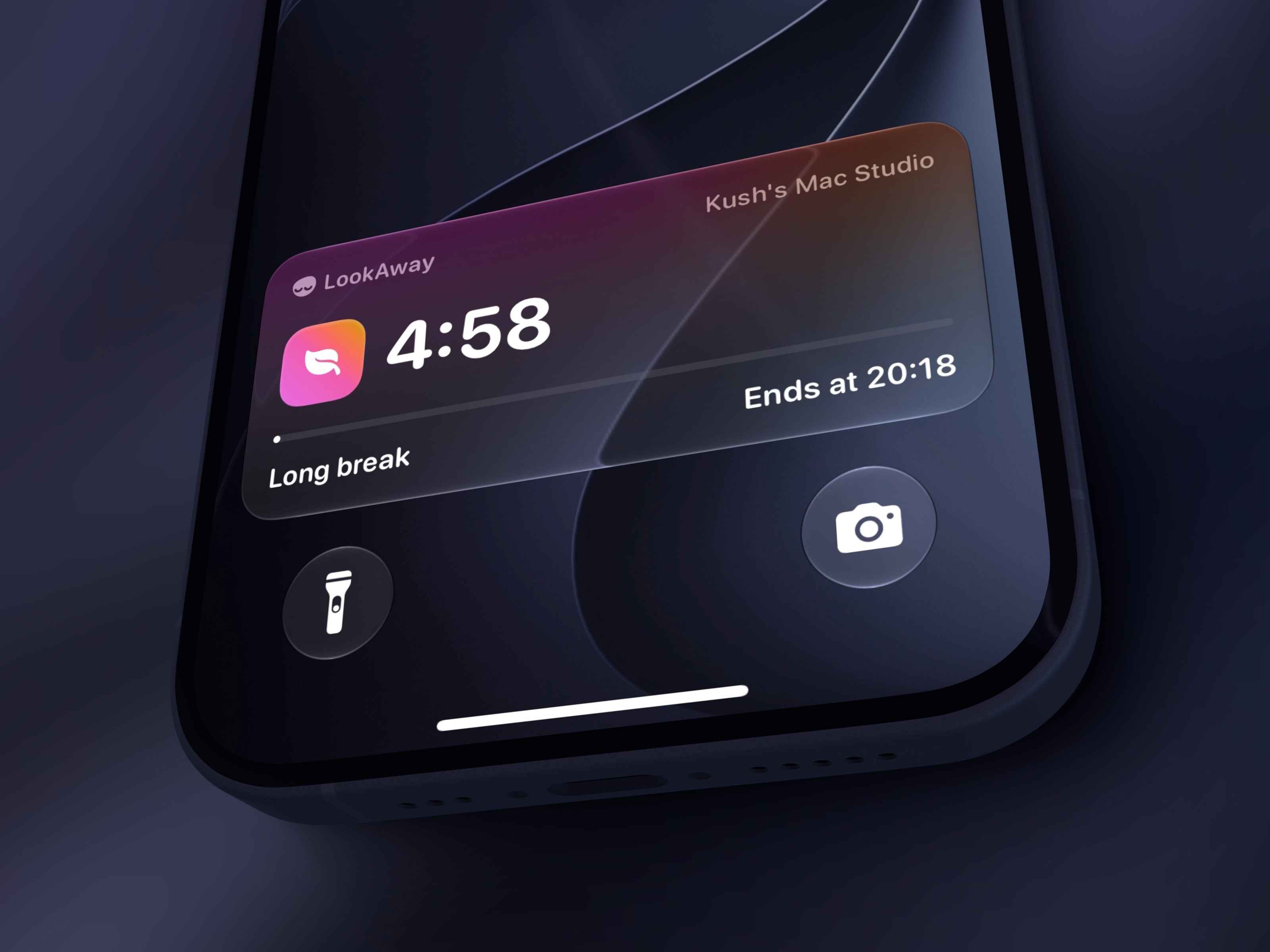
Again, no setup is required and it works out of the box as soon as you update both LookAway and LookAway Mirror. If you'd like to disable Live Activities, go to iPhone Settings → Apps → LookAway → Toggle Live Activities off.
Other Notable Changes
- Added support for macOS 27 Golden Gate
- Picking break types for iPhone notifications and automations is now a row of toggles instead of a menu that closed after every selection
- Fixed the menu bar menu responding slowly to hovers when opened over the Quick Look panel
- Fixed custom breaks being labeled "Short break" in a few places
I hope you enjoy this update. If you find any bugs or have any feedback, feel free to reach out via email to [email protected].

Try LookAway
LookAway is a smart break reminder that helps reduce eye strain, digital fatigue, and maintain better posture - so you can end your day feeling fresh.